
Is TurboTax Free for Military
If you’re active duty, a veteran, or a military spouse wondering whether TurboTax is free for military members, the short answer is yes, but with conditions. Knowing exactly who qualifies, what’s included, and where the limits are can save you real money and avoid surprises at checkout.
💰 What Is the TurboTax Military Discount?

TurboTax partners with the Defense Finance and Accounting Service (DFAS) and participates in the IRS Free File program to offer free or discounted tax filing for eligible military members. The offer is more generous than most people realize, but it’s not automatic. You have to know where to look and confirm your eligibility before you start filing.
The core benefit: active duty and reserve military members with a W-2 from DFAS can file both federal and state returns for free using TurboTax Online. That covers the majority of service members who file a standard return each year.
Who Counts as “Military” for This Offer?
- Active duty members of the Army, Navy, Air Force, Marines, Space Force, and Coast Guard
- National Guard and Reserve members with DFAS-issued W-2s
- Retired military members (eligibility varies by income and product tier)
- Military spouses filing jointly with an eligible service member
- Surviving spouses in some cases, depending on filing status
Veterans who are no longer on active duty and don’t have a current DFAS W-2 may not qualify for the full free offer, though they may still access IRS Free File through other channels if their income falls below the threshold.
✅ What’s Actually Included for Free?

This is where many people get confused. TurboTax has multiple product tiers, and the military discount doesn’t always apply to all of them equally. Here’s a clear breakdown of what’s covered:
| TurboTax Product | Military Price | Best For |
|---|---|---|
| Free Edition | 💰 $0 Federal + $0 State | Simple W-2 returns, standard deduction |
| Deluxe | 💰 $0 (with military discount) | Homeowners, deductions, credits |
| Premier | 💰 $0 (with military discount) | Investments, rental income, stocks |
| Self-Employed | 💰 Discounted (not always free) | Freelancers, side businesses |
| TurboTax Live | 💰 Discounted (varies) | CPA-assisted filing |
The key takeaway: eligible active duty and reserve members can typically access Deluxe and Premier at no cost, which is a significant upgrade over what civilians receive for free. This covers most military tax situations including BAH, BAS, combat pay exclusions, and PCS-related deductions.
🎯 How to Access the Military Discount on TurboTax

The discount isn’t applied automatically when you visit TurboTax.com. You need to access it through the correct entry point. Here’s how to do it properly:
Step-by-Step Access
- Go directly to the Military OneSource website, which partners with TurboTax to offer the MilTax free filing program
- Alternatively, visit the official TurboTax military page and verify your military status
- Enter your DFAS W-2 information when prompted, which triggers the military eligibility verification
- Complete your return within the TurboTax Online platform (not the desktop software)
- File before the tax deadline to ensure your discount applies
One important note: if you start your return through the regular TurboTax homepage and then try to apply the discount later, you may run into issues. Always start from the military-specific entry point to guarantee the pricing applies correctly.
⚠️ MilTax vs. TurboTax Military Discount – Know the Difference
Many service members don’t realize there are actually two separate free filing options available. MilTax, offered through Military OneSource, is a completely separate tax software built specifically for military members. It covers all military-specific tax situations and is free for active duty members, Guard, Reserve, and their families.
TurboTax’s military discount is a discounted version of their commercial product. Both are legitimate options. MilTax may be better for complex military tax situations, while TurboTax is often preferred by those already familiar with the interface.
📋 Military-Specific Tax Situations TurboTax Handles

Military taxes aren’t always straightforward. TurboTax’s military-eligible tiers are designed to handle the situations that come up most often for service members:
Combat Pay Exclusion
Combat zone pay is excluded from federal income tax, and TurboTax handles this automatically when you enter your W-2 information. This is one of the most valuable tax benefits available to deployed service members, and it’s important to make sure it’s applied correctly.
PCS Move Deductions
Permanent Change of Station moves used to come with broad moving expense deductions. Current tax law limits these for most taxpayers, but active duty military members who move due to a PCS order still qualify for moving expense deductions that civilians cannot claim. TurboTax’s military-eligible products handle this correctly.
BAH and BAS Treatment
Basic Allowance for Housing and Basic Allowance for Subsistence are not included in taxable income. TurboTax correctly excludes these from your adjusted gross income when your military status is verified. This is one area where using the wrong tax software, or not entering your information correctly, can cause real problems.
State Tax Considerations for Military
Military members often face complex state tax situations, especially when stationed in a state different from their home of record. The Servicemembers Civil Relief Act (SCRA) provides protections here, and TurboTax’s military-eligible products are set up to handle multi-state filing situations that arise from deployments and PCS moves. Understanding these nuances is just as important as understanding broader military employment benefits, similar to how employing military spouses carries special considerations for private employers that many people overlook.
❌ When TurboTax Military Discount Doesn’t Apply

There are situations where you won’t qualify for the free military offer, or where the discount is more limited than expected. Being aware of these upfront prevents frustration.
Situations Where You May Not Qualify for Free Filing
- You’re a veteran without a current DFAS W-2 and your income exceeds IRS Free File thresholds
- You need TurboTax Self-Employed for significant freelance or business income
- You’re using TurboTax desktop software rather than the online version
- You require TurboTax Live (CPA-assisted) service, which carries additional fees
- Your return involves complex business ownership or extensive investment activity beyond the Premier tier
In these cases, TurboTax may still offer a partial discount, but you should compare the final price against alternatives like H&R Block’s military offer or MilTax before committing.
⚠️ Watch Out for Upgrade Prompts
TurboTax is known for prompting users to upgrade to higher tiers during the filing process. Even if you qualify for the military discount on a specific tier, accepting an upgrade prompt could add unexpected costs. Read each prompt carefully and only upgrade if you genuinely need the additional features being offered.
💡 TurboTax vs. Other Free Military Tax Filing Options
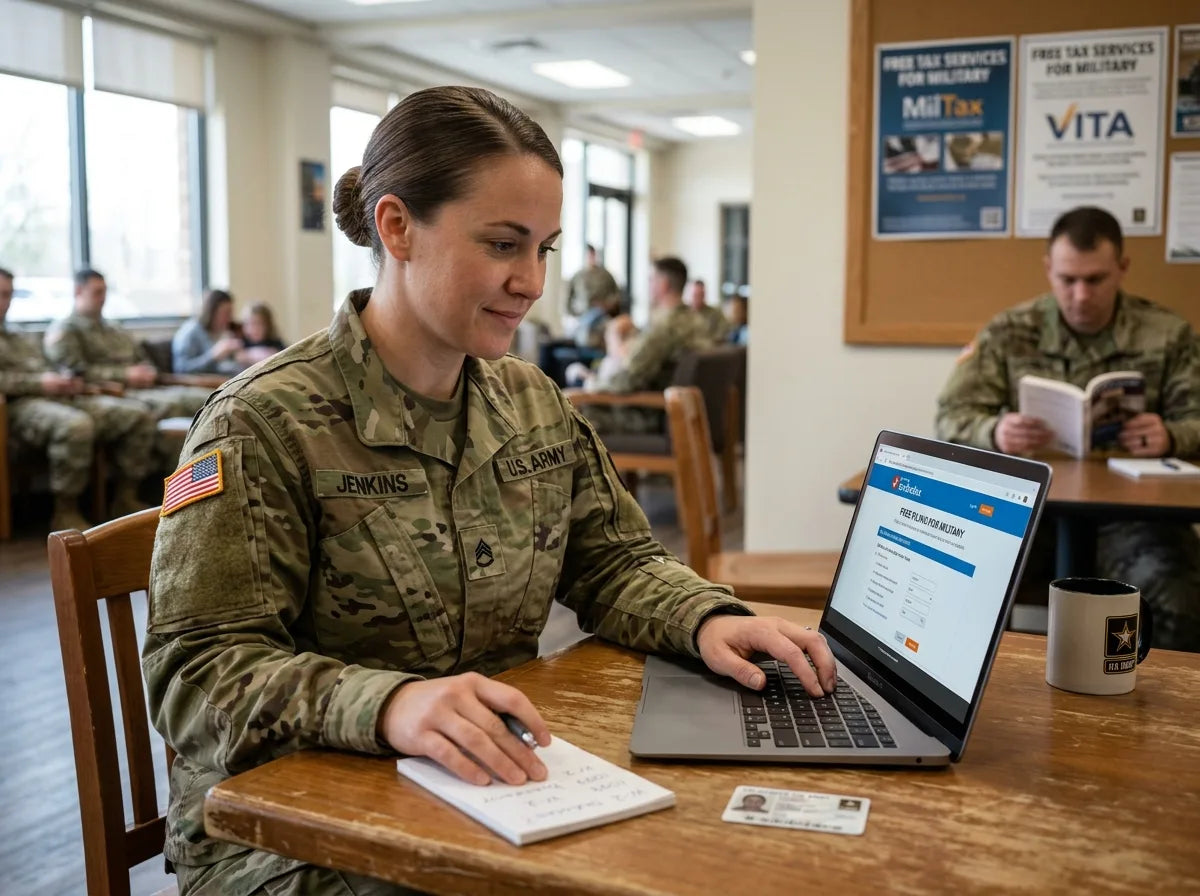
TurboTax isn’t the only game in town for military members. Knowing your alternatives helps you make an informed choice rather than defaulting to the most recognized brand.
| Option | Cost for Military | Key Advantage | Limitation |
|---|---|---|---|
| TurboTax Military | 💰 Free (most tiers) | Familiar interface, strong guidance | Upgrade prompts can be confusing |
| MilTax (Military OneSource) | 💰 $0 always | Built for military, no upsells | Less known, simpler interface |
| H&R Block Military | 💰 Free (online) | In-person option available | State filing fees may apply |
| IRS Free File | 💰 $0 (income limits apply) | Completely free, IRS-backed | Income threshold required |
| VITA (Volunteer Income Tax Assistance) | 💰 $0 | In-person help on base | Availability varies by installation |
For most active duty members with straightforward returns, MilTax through Military OneSource is arguably the most reliable zero-cost option because it’s specifically built for military tax situations and doesn’t involve commercial upsell pressure. TurboTax remains a strong choice for those who want a polished interface and are comfortable navigating the discount verification process.
If you’re exploring the full range of financial benefits available to military members and their families, it’s also worth understanding whether USAA is only for military members, since banking and insurance benefits often work alongside tax advantages to build a stronger financial picture.
🎯 Tips to Make Sure You Get the Military Discount

- Always access TurboTax through Military OneSource or the verified military landing page, not the standard homepage
- Have your DFAS W-2 ready before starting your return to confirm military eligibility early
- Avoid accepting upgrade prompts unless you’ve confirmed the upgraded tier is still covered under the military discount
- If you’re filing jointly as a military spouse, ensure the primary filer’s military status is entered first
- Compare MilTax and TurboTax before committing, especially if your return involves combat pay or PCS deductions
- Check on-base VITA availability, which offers free in-person filing assistance with military tax expertise
Wrapping It Up

TurboTax is genuinely free for most active duty and reserve military members, covering federal and state returns across multiple product tiers including Deluxe and Premier. The key is accessing the discount through the right channel and understanding where the limits are. For members with complex situations, MilTax and on-base VITA services are strong alternatives worth considering. Either way, military members have real, substantial options to file accurately without paying out of pocket.